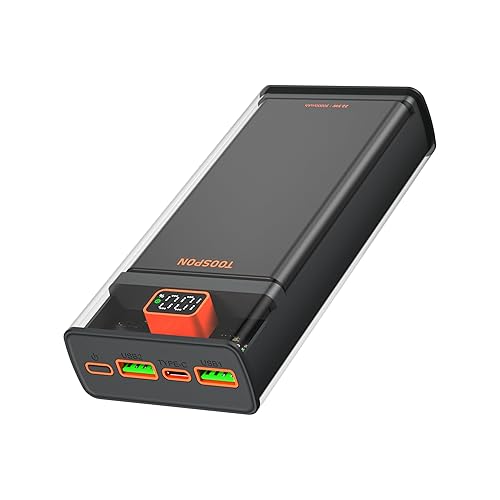
Power Bank 26800mAh fast charging,QC 3.0 22.5W USB C Transparent PD 20W Portable Charger Digital Display Compatible iPhone,Camera,headset etc
Retailer: Amazon
£6.99
Description
User Manual for Power Bank Initial Activation New power banks come with pre-installed test charge ("virtual charge"). Step 1: Fully use the virtual charge until the power bank reaches 0% and stops outputting (the virtual charge depletes quickly, e.g., dropping from 60% to 0% suddenly is normal). Step 2: Fully recharge the power bank to 100% (the display will show "100" steadily without blinking). Step 3: Discharge it completely to 0% again. Repeat the full charge-discharge cycle 3 times to optimize battery accuracy and longevity. Battery Level Display; The digital screen shows the real-time remaining battery percentage. When fully charged (100%), the display will remain steady without blinking. Flashlight Function (if applicable) Turn On: Double-click the power button or hold the button for 5 seconds. Turn Off: Repeat the same operation. Initial Usage: Battery Percentage Fluctuation During the first 5 uses, the battery percentage may drop abruptly (e.g., from 50% to 0%) or drain too quickly. Cause: The power bank’s "smart learning" feature is not yet calibrated due to residual virtual charge. Solution: Reperform Step 1 (3 full cycles) to ensure accurate display and stable performance. Sudden Drop to 0% This is a normal phenomenon during calibration. Fix: Repeat the charge-discharge cycles as described in Step 1. Safety Guidelines Charge the power bank in a well-ventilated area and avoid exposure to moisture, water, or extreme temperatures. Do not subject it to strong impacts or drops. Mild Heat/Sound During Charging Slight heat generation or a soft buzzing sound during charging is normal, caused by the operation of resistors and smart control chips.
Disclaimer: No disclaimer available.